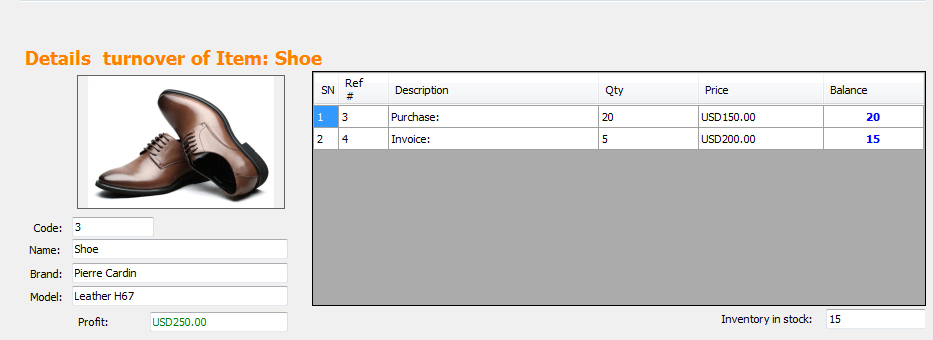
If you have a shop like mobile store, toys store, drug store, cloth shop, electronic store, home appliances shop or any similar shop, so that you would like to have barcode labels on items in your shop to help salespersons to sell items more easily and also protect your business from loss.
in iGreen accounting, it is possible to print bar-coded label automatically when you enter purchase in it. also it is possible to print purchase prices of items in secret format to help salesperson about purchase prices of items and let they know how much discount is possible of every item
How to get started
first of all, open Setting form and select “SERIALS/IMEI SETTINGS” as below:
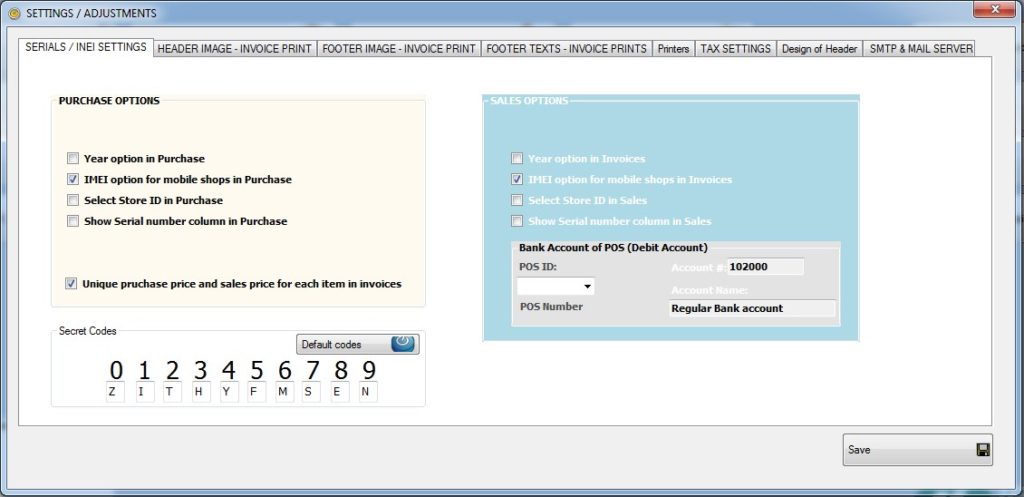

IF Unique Purchase price .. option is not active, Please active it by check marking it like below photo:


if buttom of setting form, you see “Secret codes”. these codes will use to generate purchase price of items on barcode labels.


Why secret codes
- Only salesperson should know it not customers
- Secret formatted prices help salesperson to protect them to sell item under purchase prices
- Salesperson don’t need to ask minimum prices from administration time to time
therefore, as you see, here to should select character for any digit, for example based on default selected character, 240 USD will be printed on label as : TYZ
because: T = 2 , Y=4 and Z = 0, so that 240 = TYZ
also because you can change these default codes, then only you and your salespersons will could re-understand which digit mean every character
Example of barcode label
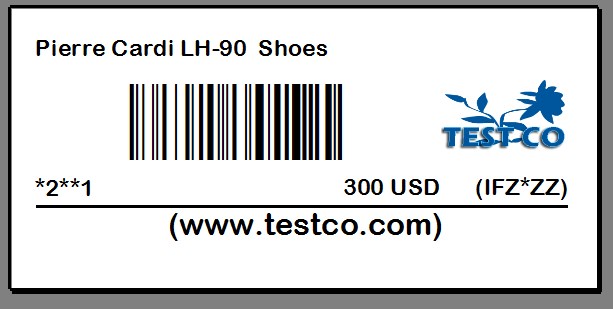
As you see we put an item of Pierre cardian shoes with 150$ purchase Price and 300$ sales price. Printed label for sticking on the item will be as below:


As you see purchase price (150$) has been codes as IFZ*ZZ
I = 1, F=5, Z=0, *=. => 150.00$ purchase price

Also when we in invoice scan this barcoded label, iGreen will bring it in list as below with 300$ price for sale


Finally, you can see profit report of this invoice as below:


We bought Shoes for 150$ and sold it for 300$, so that its profit is 150$ as you see on above profit report